Annotation Lifecycle
When a document is submitted to Rossum within a given queue, an annotation object is assigned to it. An annotation goes through a variety of states as it is processed, and eventually exported.
| State | Description |
|---|---|
| created | Annotation was created manually via POST to annotations endpoint. Annotation created this way may be switched to importing state only at the end of the upload.created event (this happens automatically). |
| importing | Document is being processed by the AI Engine for data extraction. |
| failed_import | Import failed e.g. due to a malformed document file. |
| split | Annotation was split in user interface or via API and new annotations were created from it. |
| to_review | Initial extraction step is done and the annotation is waiting for user validation. |
| reviewing | Annotation is undergoing validation in the user interface. |
| in_workflow | Annotation is being processed in a workflow. Annotation content cannot be modified while in this state. Please note that any manual interaction with this status may introduce conflicts with Rossum automated workflows. Read more about Rossum Workflows here. |
| confirmed | Annotation is validated and confirmed by the user. This status must be explicitly enabled on the queue to be present. |
| rejected | Annotation was rejected by user. This status must be explicitly enabled on the queue to be present. You can read about when a rejection is possible here. |
| exporting | Annotation is validated and is now awaiting the completion of connector save call. See connector extension for more information on this status. |
| exported | Annotation is validated and successfully passed all hooks; this is the typical terminal state of an annotation. |
| failed_export | When the connector returned an error. |
| postponed | Operator has chosen to postpone the annotation instead of exporting it. |
| deleted | When the annotation was deleted by the user. |
| purged | Only metadata was preserved after a deletion. This status is terminal and cannot be further changed. See purge deleted if you want to know how to purge an annotation. |
This diagram shows exact flow between the annotation states while working with the UI.
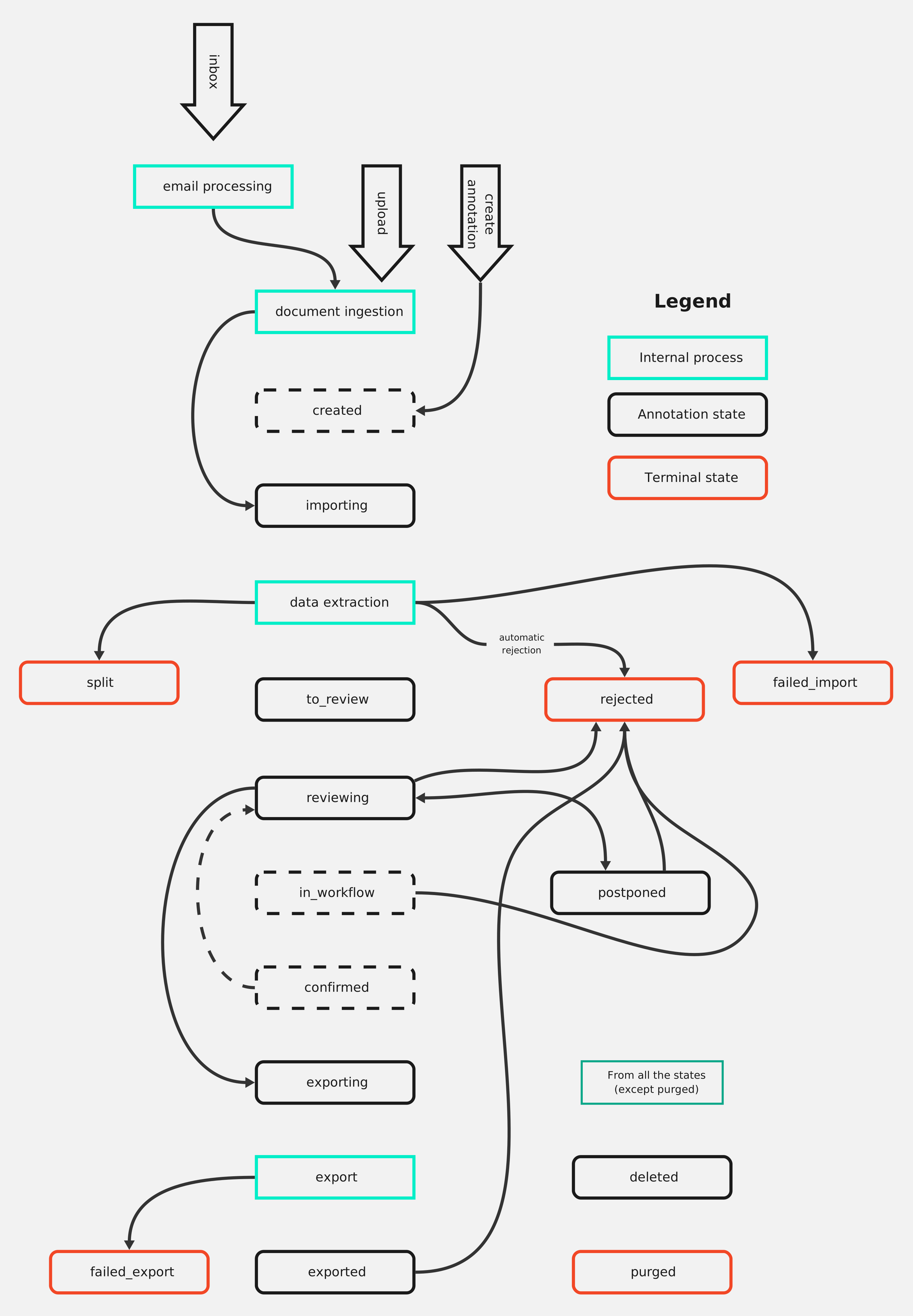
See our article on the annotation lifecycle for more information.
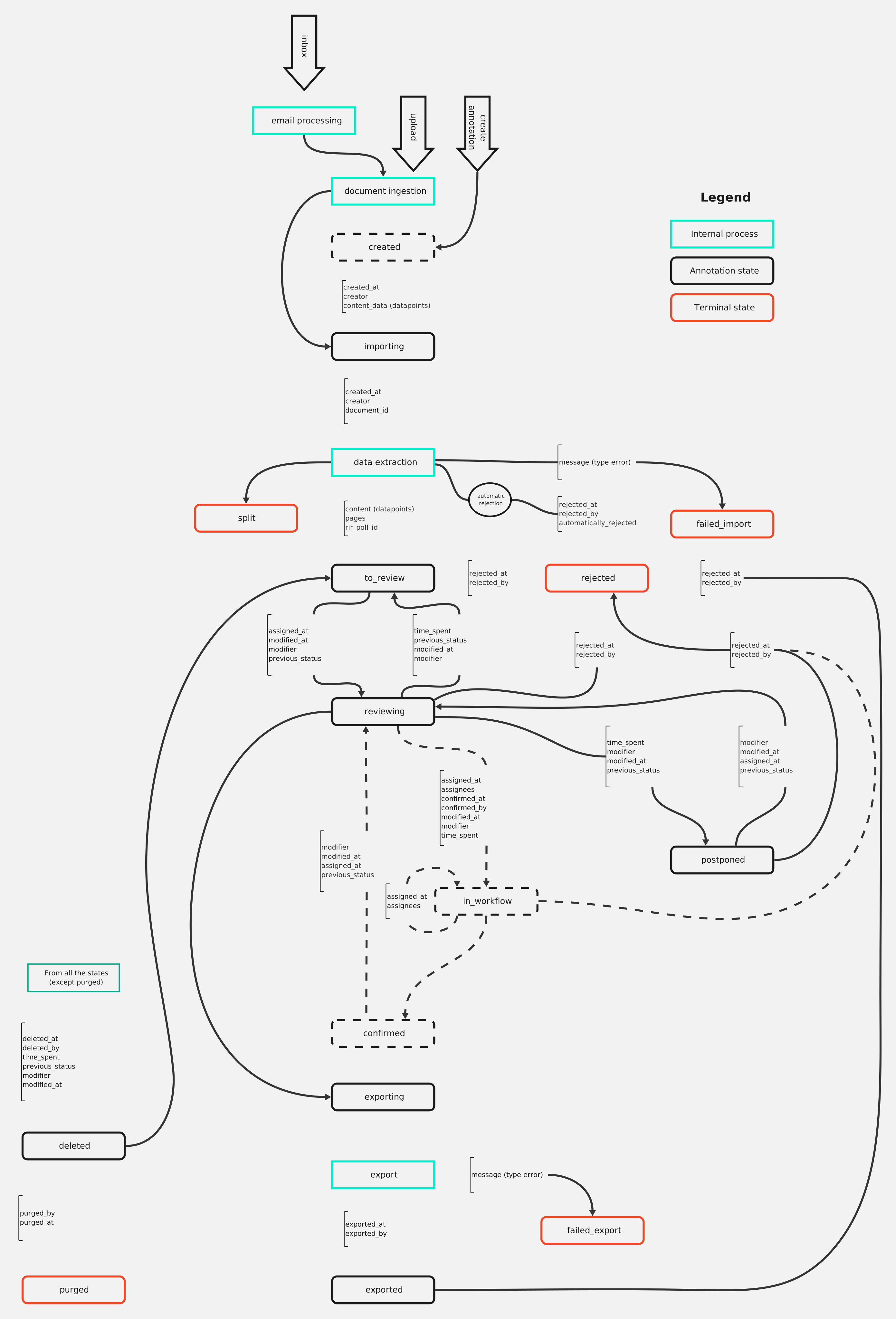
We strongly discourage users from PATCHing the annotation statuses due to possible causes of unwanted behavior concerning working with the Rossum application. The diagram below shows how the annotation attributes change during the annotation's lifecycle, clearly showing why not to PATCH only the status. We strongly advise users to use predefined endpoints to manipulate the annotation statuses.